How to Use Free Tools to Choose the Right Broker

Individual investors replacing a broker typically face one immediate practical reason: high trading costs, limited asset access, poor platform usability, weak customer support, or unverified regulatory standing. Free online tools, regulatory checkers, comparison sites, and platform screeners, allow you to verify a broker's credentials, compare fees and features across providers, and assess whether their trading platform meets your needs before committing. This guide categorizes the main free tools available, explains how to use them in sequence, and highlights the trade-offs between cost, features, and service quality so you can select a broker aligned with your investment goals.
Conditional alternatives and table
Choosing a replacement broker depends on your specific need: regulatory verification, transparent fee comparison, or platform evaluation. The main free tool categories serve different stages of the decision process and should be used in order.
Regulatory checkers
FINRA BrokerCheck (US-based brokers and advisors)
- How it works: Input the broker's name or CRD number to retrieve public disclosures on registration, licensing, employment history, and regulatory events or disciplinary actions.
- Source: Financial Industry Regulatory Authority (FINRA), www.finra.org/brokercheck
- Best for: Verifying that a US broker is legitimately registered and checking for any disclosed complaints or sanctions.
- Avoid if: Your broker is regulated outside the US; use your local regulator's register instead (FCA Financial Services Register for UK brokers, ASIC Professional Registers for Australian brokers).
FCA Financial Services Register (UK and EEA brokers)
- Best for: Checking the license and regulatory status of brokers operating in the UK.
- Avoid if: Your broker is US-regulated; FINRA BrokerCheck is the appropriate tool.
ASIC Professional Registers (Australian brokers)
- Best for: Verifying Australian Financial Services Licensee (AFSL) status and registration details.
- Avoid if: Your broker is US or UK-regulated.
Broker comparison sites
BrokerChooser
- What it evaluates: Fees, trading platforms, product portfolios, customer service, and user experience. The methodology emphasizes transparency and accessibility for different investor types.
- How to use it: Apply filters based on your investment needs (asset types, fee structure, geographic availability) to narrow down suitable brokers.
- Best for: Beginners and intermediate investors seeking a curated list of vetted brokers with clear feature comparisons.
- Source: www.brokerchooser.com
- Main limitation: Data is aggregated and may not update as quickly as broker fee schedules change; always verify current fees directly on the broker's official website.
StockBrokers.com
- What it evaluates: Commissions, research tools, mobile trading capabilities, and overall broker features across dozens of providers. The site conducts in-depth annual reviews.
- How to use it: Compare detailed breakdowns of broker offerings to identify which platform best suits your trading style and asset preferences.
- Best for: Active traders and investors comparing a broad range of brokers on research, platform depth, and cost structure.
- Source: www.stockbrokers.com
- Main limitation: Data reflects the publication date of reviews; regulatory status or fees may have changed since review publication.
Process: using tools in sequence
Identify your investment needs: Define your experience level, primary asset classes (stocks, options, ETF, forex), trading frequency, and capital available. Verify regulatory standing: Use FINRA BrokerCheck (US), FCA Financial Services Register (UK), or ASIC Professional Registers (Australia) to confirm the broker is licensed and has no significant disciplinary history. Explore comparison sites: Apply BrokerChooser or StockBrokers.com filters to narrow options based on fees, platforms, and products relevant to your needs. Cross-reference fees directly: Visit each broker's official fee schedule to confirm current commissions, spreads, inactivity fees, withdrawal charges, and other costs. Test the platform: Use a demo account (if available) to evaluate whether the trading interface, charting tools, and mobile app match your requirements. Check customer support: Review available support channels (phone, email, chat) and hours of operation, especially important if you trade during specific market sessions.
Reason for selection
The free tools outlined above address specific gaps in your broker search and should be used together, not in isolation.
Regulatory checkers eliminate fraud risk. Verifying registration and licensing through FINRA BrokerCheck or your local regulator's database isn't optional. It confirms the broker is authorized to operate and discloses any past sanctions. Skip this step and you expose yourself to unlicensed operators or firms with unresolved compliance issues.
Comparison sites filter by your stated criteria. BrokerChooser and StockBrokers.com aggregate data on hundreds of brokers, allowing you to filter by asset type, fee structure, platform, and support availability rather than visiting each broker's website individually. This saves time. It also ensures you compare consistent categories across providers.
Official fee schedules prevent hidden costs. Comparison sites provide a useful overview, but fees change frequently. Trading costs extend beyond commissions: inactivity fees, withdrawal fees, spread costs (especially for forex or CFDs), and platform fees can erode returns if overlooked. Always verify the current schedule directly on the broker's website before opening an account.
Platform testing reduces switching friction. A low-cost broker with a platform you find unusable creates frustration and trading inefficiency. Demo accounts let you experience the interface, charting tools, research feeds, and mobile app before committing capital.
Customer support responsiveness prevents costly delays. Slow or unresponsive support can magnify losses during urgent issues: failed trades, account freezes, withdrawal delays. Checking support availability and reviewing the quality of educational resources matters especially for less experienced investors.
Relevant account alternatives
Your choice of replacement broker depends on the specific reason you're switching. This section maps common switching reasons to the features and tools that matter most.
Switching to reduce trading costs
Key criteria: Commission rates, spread structure, inactivity fees, and withdrawal charges.
How to compare:
- Use StockBrokers.com to filter brokers by commission type (per trade, tiered, or zero-commission).
- Cross-reference the current fee schedule on each broker's official website.
- Note the spread structure: fixed spreads are predictable; variable spreads depend on market conditions and liquidity.
- Check for inactivity fees (some brokers charge if your account sits unused for a set period) and withdrawal fees.
Trade-off: Brokers offering zero or very low commissions may provide more basic trading platforms, fewer research tools, or limited educational resources. Extremely low-cost brokers may compensate through wider spreads or less responsive customer support. Compare the all-in cost (commissions + spreads + fees) over your typical trading frequency, not just headline rates.
Switching to access additional asset classes
Key criteria: Availability of stocks, ETFs, bonds, options, futures, cryptocurrencies, or forex depending on your strategy.
How to compare:
- Use BrokerChooser to filter by product portfolio; note whether the broker offers international equities, emerging market ETFs, or specific cryptocurrency pairs.
- Verify on the broker's website that the exact instruments you need (e.g., a specific emerging market index fund, micro futures) are available.
- Confirm that regulatory restrictions don't prevent access; for example, some brokers restrict leverage on forex or CFDs for retail clients in certain jurisdictions.
Trade-off: Brokers with comprehensive product range (global equities, options, forex, cryptocurrencies) often charge higher fees or require higher minimum deposits. Specialized brokers focusing on one asset class may offer lower costs and deeper tools but exclude others.
Switching to improve platform usability
Key criteria: Intuitive interface, charting and technical indicator depth, mobile app quality, and data feed speed.
How to compare:
- Review platform descriptions on StockBrokers.com and BrokerChooser; note whether the broker offers multiple platforms (e.g., web and mobile, or MT4 alongside a proprietary terminal).
- Open a demo account with shortlisted brokers and test navigation, order entry, charting, and alert functionality for 1-2 weeks.
- Check whether the broker provides educational content (tutorials, webinars, articles) to help you use the platform effectively.
Trade-off: Advanced platforms with extensive charting, technical analysis, and algorithmic order types often have steeper learning curves. Simpler, more intuitive platforms may lack depth for active traders. Choose based on your experience level and actual trading needs, not on feature count alone.
Switching to upgrade customer support
Key criteria: Support channels (phone, email, chat), hours of operation, and responsiveness during your trading hours.
How to compare:
- Check the broker's website for listed support hours; note time zones if you trade outside standard market hours.
- Review publicly available feedback on support quality; while user reviews vary, repeated patterns (e.g., "always slow to respond," "helpful staff") are informative.
- Test support responsiveness by submitting a question via email or chat before opening an account.
Trade-off: Brokers offering 24/5 or 24/7 phone support typically charge higher fees or require larger minimum deposits than brokers with limited support hours. Prioritize support channels that align with your trading schedule.
Checks before switching
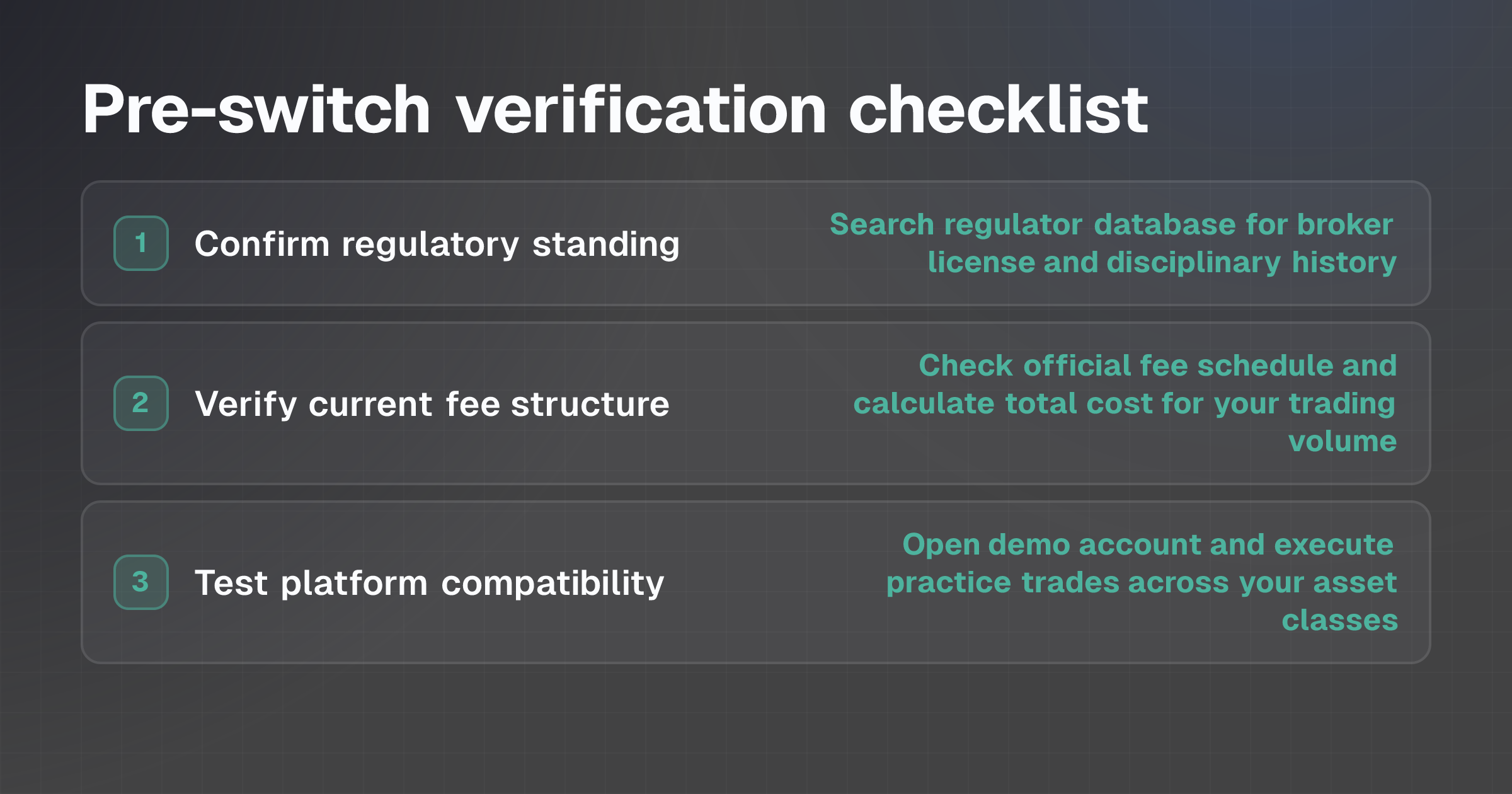
Before opening a new account, complete the following verification steps to avoid switching to a broker with hidden costs, regulatory issues, or platform incompatibilities.
1. Confirm regulatory standing
- Go to FINRA BrokerCheck (US), FCA Financial Services Register (UK), or ASIC Professional Registers (Australia), depending on where the broker is regulated. - Search for the broker by name or license number. - Review any disclosed disciplinary history, sanctions, or complaints. A clean record isn't a guarantee of quality, but the absence of certain figures in the comparison may indicate potential concerns.
2. Verify current fee structure
- Visit the broker's official fee schedule, usually found in the "Pricing" or "Fees" section of their website.
- Cross-reference fees listed on BrokerChooser or StockBrokers.com to ensure the data is current; comparison sites may lag behind actual changes.
- Document all fees applicable to your trading style: commissions per trade, spreads (fixed or variable), monthly inactivity fees, withdrawal fees, and platform fees.
- Calculate the total cost of your typical monthly trading volume on both your current and prospective broker to ensure switching saves money.
3. Test platform compatibility
- If you use specific charting tools, technical indicators, or research feeds, confirm the new broker's platform supports them.
- Open a demo account and execute a practice trade to verify the order entry process, execution speed, and interface responsiveness.
- If you trade multiple asset classes (e.g., stocks and forex), test the platform for each asset to ensure capabilities match your needs.
- For specific platforms like MT4 or MT5, see MT4 and MT5 Brokers: Compare Account and Platform Access to verify broker compatibility.
4. Clarify deposit and withdrawal processes
- Check minimum deposit requirements; if capital is limited, ensure the broker accepts your minimum.
- Review withdrawal procedures, processing times, and any associated fees. Some brokers restrict withdrawals by method (bank transfer, credit card) or impose delays.
- Confirm that the broker supports your preferred deposit method (bank transfer, card, e-wallet).
- For more details on these processes, see Forex Broker Deposits and Withdrawals: Fees, Times and Checks.
5. Check customer support before committing
- Contact the broker's support team with a test question via your preferred channel (phone, email, or chat).
- Note response time, clarity of explanation, and helpfulness. If support is slow or unclear during the pre-account phase, it's unlikely to improve after you deposit.
- Verify support is available during your typical trading hours, especially if you trade after standard market hours or across multiple time zones.
6. Understand cost beyond commissions
- Review Forex Trading Costs Explained: Compare More Than the Spread to ensure you account for spreads, financing costs, and currency conversion fees, not just headline commissions.
- If the new broker uses leverage products (forex, CFDs), understand that leverage can magnify losses as well as gains. Regulators including the Financial Conduct Authority (FCA) and the European Securities and Markets Authority (ESMA) have restricted leverage available to retail clients to mitigate rapid capital depletion.
- Calculate the all-in cost per trade or per month across both brokers before deciding.
Last verified: November 12, 2026