Trading Platform Compatibility: Check Your Broker Account

Trading platform availability isn't automatic across all broker account types. A broker may offer both MT4 and a proprietary platform, yet restrict one or both to specific account tiers. Standard accounts might access MT4 while ECN accounts connect only via cTrader, or advanced order types may be unavailable on certain account classes.
This distinction matters because choosing an account without verifying platform compatibility can lock you out of your preferred trading interface after funding, forcing costly account migration or compromise on tools.
The compatibility check is a decision step that comes before deposit, not after. This article explains how account type and platform availability interconnect, walks through the verification process, and shows why demo testing falls short of guaranteeing live access.
Direct answer and key distinction: Platform compatibility depends on your account type
A trading platform is the software or web interface you use to execute trades, manage your account, and access market data. Examples include MetaTrader 4 (MT4), MetaTrader 5 (MT5), cTrader, proprietary broker platforms, and social trading platforms.
A broker account type defines the features and rules of your account: minimum deposit, available assets, commission structure, leverage, and target audience.
Examples include standard accounts, ECN accounts, STP accounts, raw spread accounts, Islamic accounts, and micro accounts.
The key distinction: Not every platform works with every account type at the same broker. Platform compatibility is determined by the broker's technical infrastructure, licensing agreements with platform providers, and internal policy. Some brokers develop proprietary platforms designed to integrate seamlessly only with their own account types. Others license third-party platforms like MT4 or MT5 from MetaQuotes and may limit access to certain account tiers.
A common outcome: a broker advertises "MT4 available," but only on standard accounts, not on their raw spread or Islamic accounts.
This isn't a regulatory gap. It's an infrastructure choice by the broker.
If you open an ECN account and later discover that only the standard account tier connects to the platform you want, you can't simply toggle over. Depending on the broker, you may need an additional trading account or a different account configuration. Check whether internal transfers are supported, how open positions are handled and whether any charges apply.
How the cost or condition works: Verification steps and typical constraints
Compatibility is verified through a four-step process.
Identify your preferred platform. Determine which platform suits your needs based on features, interface, analytical tools, automation capabilities (such as Expert Advisors), or community support.
Define your account requirements. Specify the account features you need: asset access, commission model, leverage, minimum deposit, or regulatory considerations (such as swap-free eligibility for Islamic accounts).
Research broker offerings. Investigate brokers that claim to offer your desired platform. Most publish platform availability in a "Trading Platforms" or "Account Types" section on their official website.
Verify the specific account-platform pairing. For each prospective broker, check which account types explicitly support your preferred platform. This step is critical and often overlooked.
Methods include reviewing the broker's official website documentation, consulting the broker's FAQ or support documentation, and contacting customer support directly to confirm the specific account-platform pairing.
Common constraints that arise:
Feature discrepancies show up first. Not all features of a platform may be available across all account types. Advanced order types or certain indicators might be restricted to premium accounts.
Broker-specific customization creates another layer. The same third-party platform (MT4 or MT5) can be customized differently by different brokers. Available instruments, spreads, and functionality vary.
Regulatory restrictions come next. Certain platforms or account features may be unavailable in your jurisdiction due to local regulations, even if offered elsewhere by the same broker.
Demo versus live differences matter. While demo accounts are useful for testing, they may not perfectly replicate live market conditions or platform performance due to server load or pricing feeds.
One worked example or checklist: Account and platform verification checklist
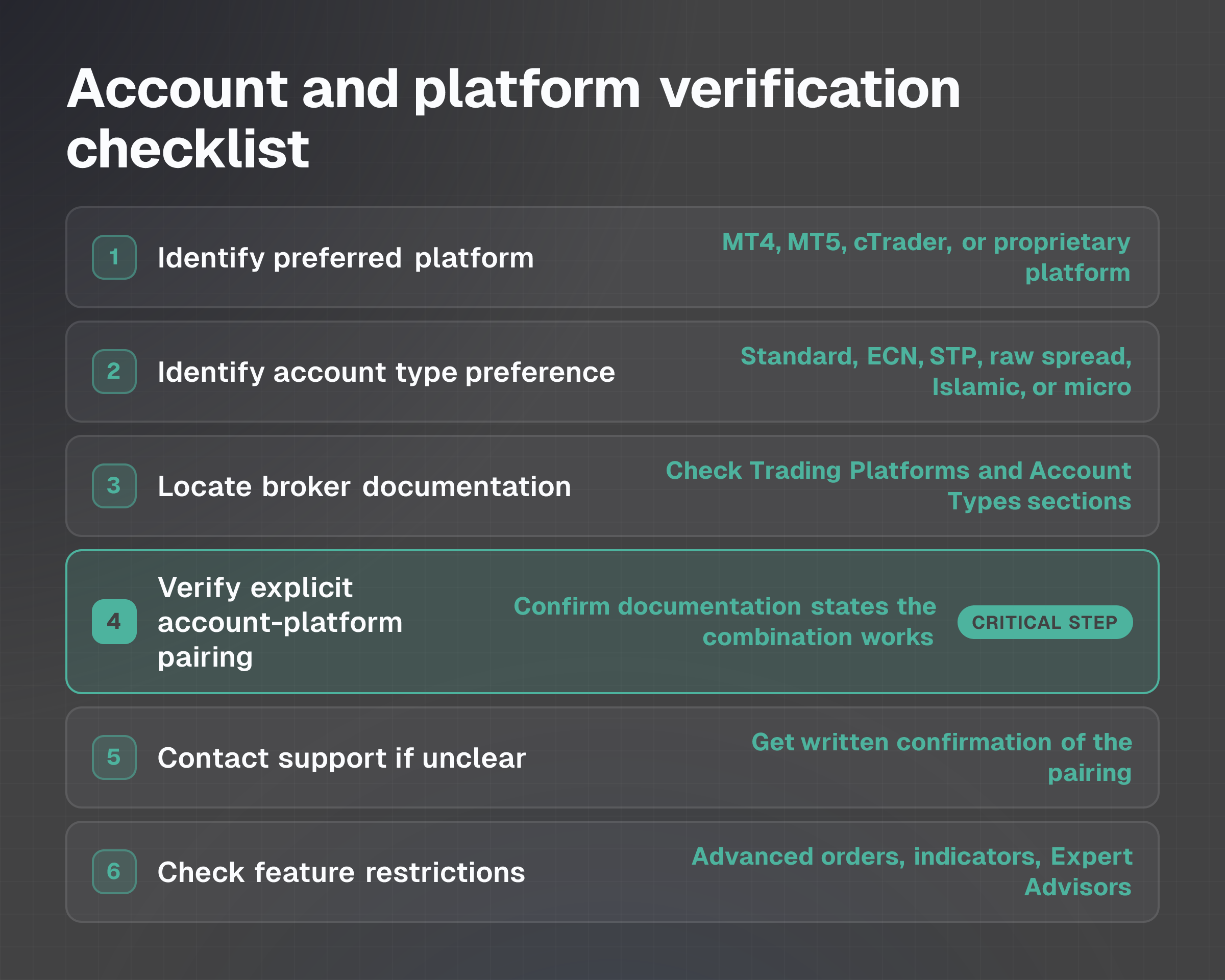
Before opening an account with a broker, use this checklist to confirm platform compatibility:
- I've identified the platform I want to use (MT4, MT5, cTrader, proprietary platform, etc.).
- I've identified my account type preference (standard, ECN, STP, raw spread, Islamic, micro, etc.).
- I've visited the broker's official website and located documentation for both "Trading Platforms" and "Account Types."
- I've checked whether the broker's documentation explicitly states which account types support my preferred platform.
- If documentation is unclear or incomplete, I've contacted the broker's customer support and received written confirmation of the account-platform pairing.
- I understand any feature restrictions that apply to my account-platform combination (e.g., advanced order types, specific indicators, Expert Advisors).
- I've noted whether a demo account is available to verify basic functionality before funding a live account.
- I've confirmed there are no regulatory restrictions on the platform or account type in my jurisdiction.
Worked scenario: You want to trade forex using MetaTrader 4 with leverage and low minimum deposit. You find Broker A, which advertises "MT4 available" and "Micro accounts from $10." You assume both are compatible.
Before funding, you contact support and learn: MT4 is available only on standard accounts (minimum $500 deposit), while micro accounts connect via the proprietary platform only.
You now have three choices: fund a standard account instead, use the proprietary platform with a micro account, or research another broker.
This verification takes 10 minutes and prevents a costly funding mistake.
Checks before choosing an account: Avoiding compatibility traps
A common mistake is to assume platform compatibility based on a general broker offering, only to discover restrictions after funding a live account. Always verify the specific account-platform pairing before deposit.
Questions to resolve before opening:
Is the platform available on my chosen account type? Don't rely on the broker's general "platforms offered" list. Confirm the pairing is supported.
Are all features I need available on this account-platform combination? If you trade using Expert Advisors or specific indicators, confirm these work on your account tier.
Does my jurisdiction impose any restrictions? Some platforms or account features may be unavailable where you reside.
Can I test it via demo account? Use a demo to identify basic compatibility issues before committing capital, though demo experience isn't a guarantee of identical live performance.
What's the cost of switching if I need to change accounts later? Understand the withdrawal fees and process. See Forex Broker Deposits and Withdrawals: Fees, Times and Checks for details on deposit and withdrawal costs.
Don't dismiss a broker's proprietary platform without evaluation.
While third-party platforms like MT4 and MT5 are widely used, proprietary solutions can sometimes offer unique features, tighter integration with the broker's services, or better performance tailored to that broker's infrastructure. The choice between proprietary and third-party platforms is a preference, not a safety issue, but it must be a deliberate choice, not an accidental restriction.
To compare platform access across multiple brokers or to explore account types available at specific brokers, visit the broker directory or use WhatBroker comparisons. For broader guidance on broker selection criteria, see How to Choose a Forex Broker: Costs, Rules and Platforms.
Last verified: November 3, 2026